


Mini portable projector
Mini portable projector
Turn any space into a cinematic escape with this sleek mini portable projector
Pocket-sized design, powerful visuals—entertainment that moves with you
Experience big-screen brilliance anywhere, anytime with effortless portability
Compact in size, premium in performance—your personal theater on demand
HOT PRODUCT | LOW STOCK
Couldn't load pickup availability
-
Ordered
- - -
Order Ready
- - -
Delivered

Mini portable projector
Description
Description
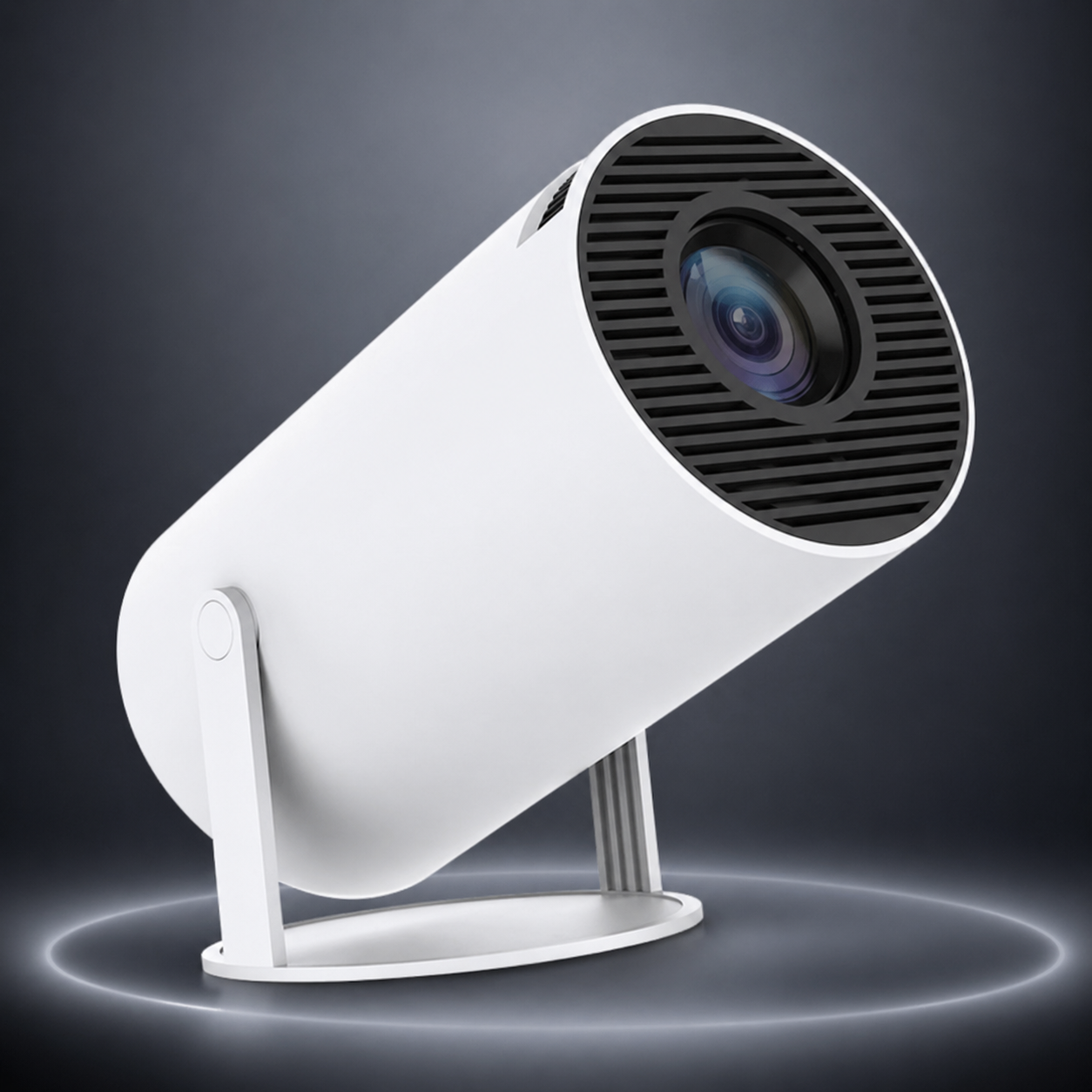
Transform any space into your personal cinema with our Mini Portable Projector. Designed for convenience and performance, this compact device delivers crisp visuals and immersive viewing wherever you go—whether it’s a movie night at home, outdoor gatherings, or presentations on the move. Its lightweight design and easy setup make it perfect for everyday use without compromise
Key Benefits
Key Benefits
* Ultra-Portable Design – Small enough to fit in your bag, powerful enough to project big-screen visuals anywhere
* Crisp & Clear Display – Enjoy sharp images with vibrant colors for movies, gaming, or presentations
* Easy Plug & Play – Simple setup with multiple connectivity options (USB, HDMI, etc.)
* Versatile Use – Perfect for home entertainment, travel, camping, or business use
* Energy Efficient – Long-lasting performance with low power consumption
Processing & Shipping
Processing & Shipping
* Processing Time: Orders are prepared within 1–2 business days
* Shipping Time: Delivery typically takes 5–10 business days depending on your location
* Tracking: A tracking number will be provided once your order is shipped
* Worldwide Shipping: We deliver to most countries with reliable carriers



HOW TO USE
• Step 1: Connect the power cable and turn the device on.
• Step 2: Plug your phone or laptop into the HDMI port (or connect to Wi-Fi).
• Step 3: Point the lens at a flat wall and rotate the focus ring for clarity.
• Step 4: Adjust the keystone settings if the image looks tilted.
• Step 5: Connect a Bluetooth speaker if you need louder sound.

FEATURES
Mini portable projectors are designed to be small, lightweight, and easy to carry, making them convenient for travel or home use. They usually support multiple input options like HDMI, USB, and wireless screen mirroring from phones or laptops. Many models have built-in rechargeable batteries, so they can work without being plugged in for a while. They also include adjustable brightness and focus settings to improve image clarity, even in different lighting conditions. Some come with built-in speakers, so you don’t always need external audio devices. Overall, they combine basic home-theater features in a compact, easy-to-use device.

SAFETY
To keep your mini projector running safely and prevent overheating, always prioritize airflow and electrical care. Avoid placing the device on soft surfaces like beds or rugs, as these can block the cooling vents and lead to internal damage. Always power down the unit properly using the remote or power button before unplugging it to protect the internal lamp and circuitry.
Why They Loved It!
Frequently Asked Questions
How do I make the picture clearer?
How do I make the picture clearer?
Use the manual focus ring (usually a dial near the lens) to sharpen the image. Also, ensure the projector is at the recommended "throw distance"—usually 1 to 3 meters from the wall
Can I connect my smartphone?
Can I connect my smartphone?
Yes. You can use a Lightning/USB-C to HDMI adapter for a wired connection, or use built-in apps like AirPlay or Miracast if your projector supports wireless screen mirroring
Why is the sound so quiet?
Why is the sound so quiet?
Mini projectors have small internal speakers. For better audio, connect an external speaker using the 3.5mm audio jack or pair a speaker via Bluetooth in the projector’s settings menu
Does it work in daylight?
Does it work in daylight?
Most mini projectors have lower brightness (lumens). For the best experience, you should dim the lights or use blackout curtains, as sunlight will make the image look faded
Can I use the projector while it's charging?
Can I use the projector while it's charging?
Yes, most models allow you to use them while plugged in. However, it may generate more heat, so ensure the cooling vents are completely unobstructed to prevent the device from automatically shutting down